Client feedback,
in writing.
Share a link. Your client clicks Yes, Maybe, or No on every screen and leaves a note. You get a clean record instead of a Slack thread.
§ 01 / Why
Feedback rounds should not take three weeks.
- 01
Feedback arrives in five emails and a voice note.
One link replaces the email chain.
- 02
Your client says 'I'll know it when I see it' and means it.
Yes, Maybe, or No removes the guessing.
- 03
Half the replies are about the wrong screen.
Every comment is attached to the screen it's about.
- 04
Two weeks later nobody remembers what was decided.
The record stays put, in the order you built the project.
- 05
You start the next round guessing.
You start the next round knowing what to change.
§ 02 / Features
Six things,
done well.
ClientHappy is small on purpose. There's a voting screen, a questionnaire, and a place to read the answers. Nothing else gets in the way.
- F·01
Yes, Maybe, No
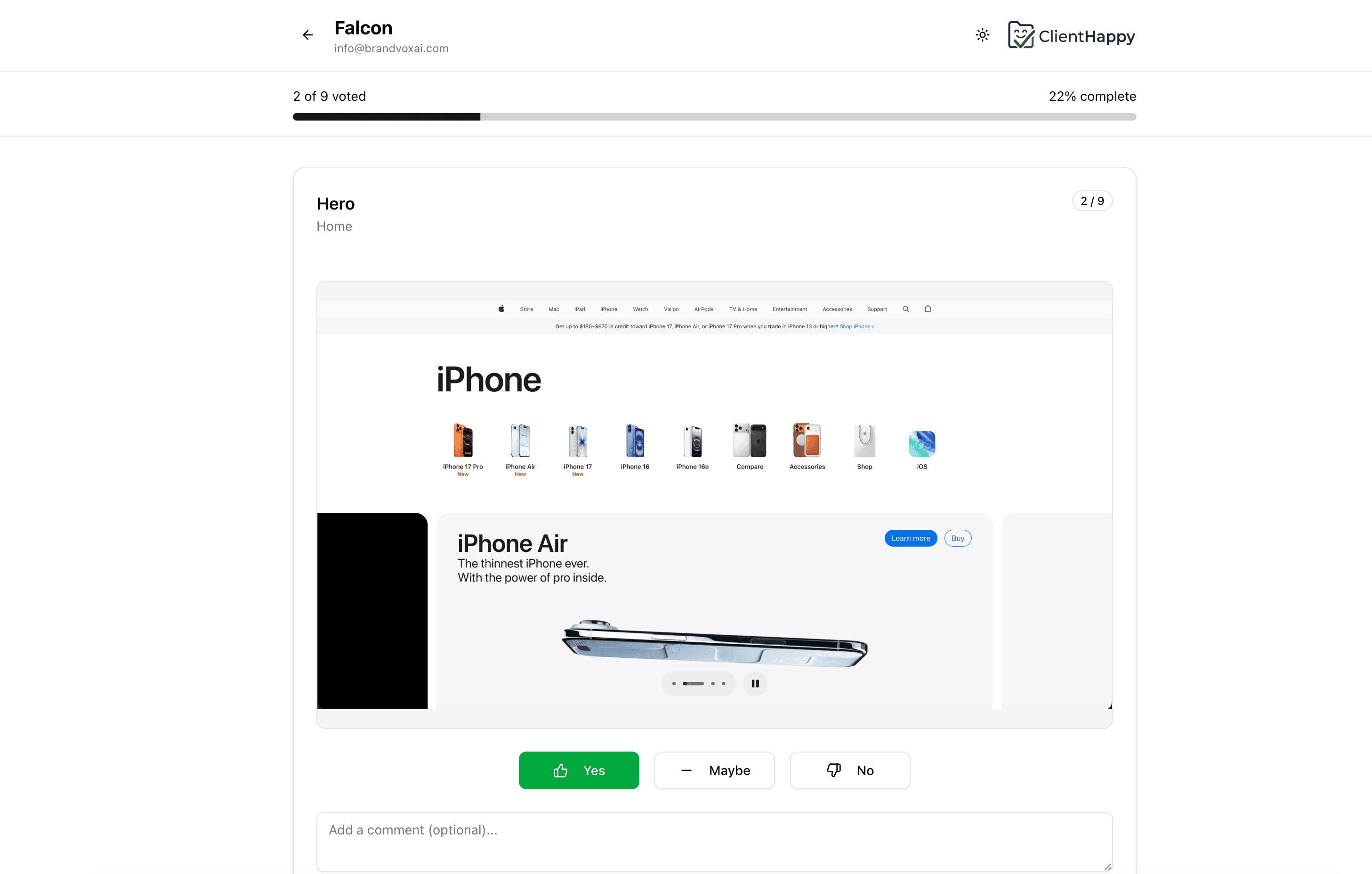
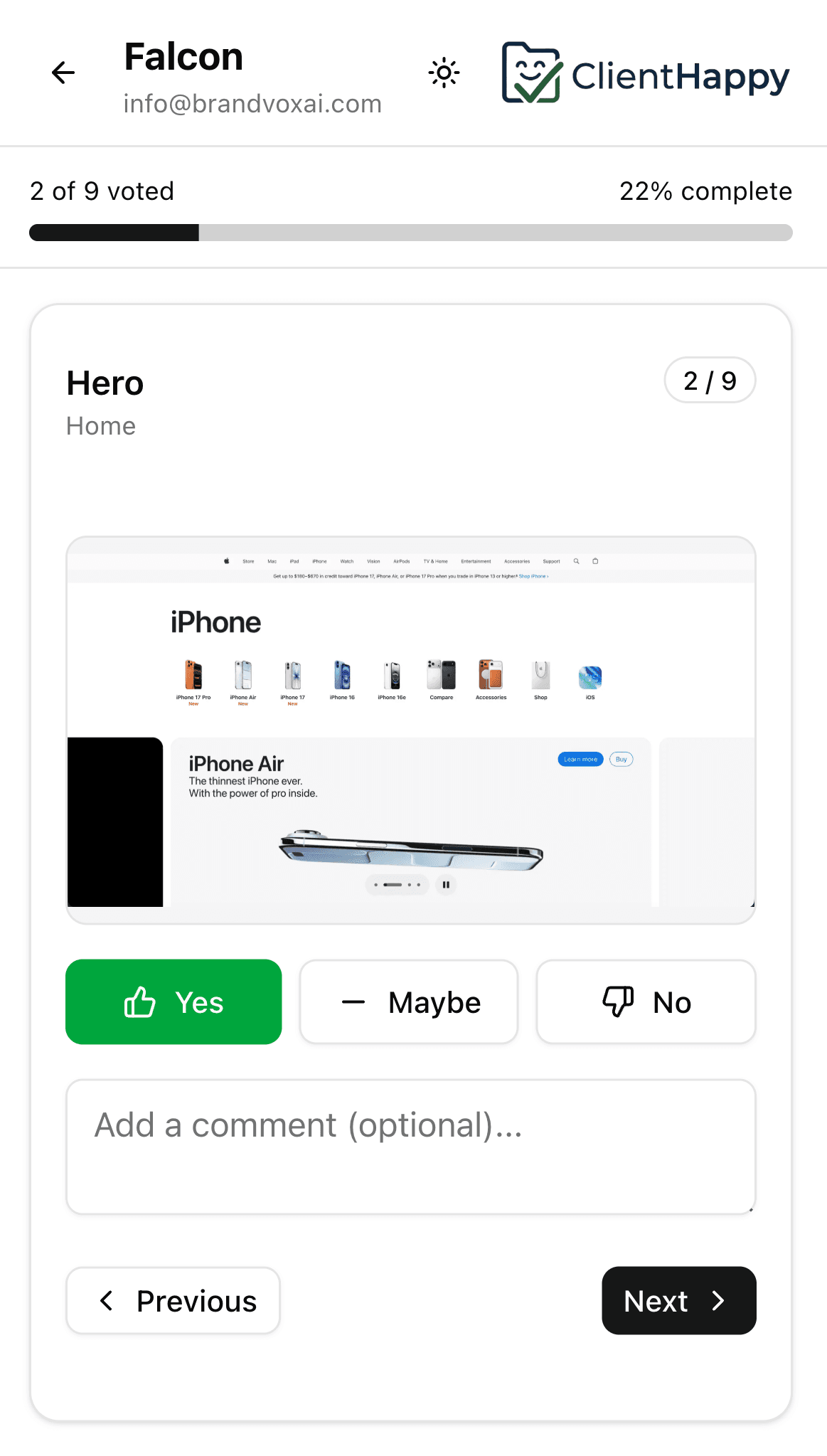
Three buttons, one comment box. That's the whole voting screen. Clients move through it without instructions.
- F·02
Questionnaires that aren't a Google Form
Eight field types: text, long text, dropdown, checkboxes, file upload, date, color, URL. Pick what you actually need.
- F·03
No client accounts
Your client opens the link, types their email, and starts. No password reset emails, no friction.
- F·04
Organized like a project
Pages contain sections, sections contain screenshots. Same structure your designer already uses in Figma.
- F·05
All the answers in one place
Vote counts per screen, comments grouped by reviewer, questionnaire responses ready to copy into a brief.
- F·06
Uploads where they belong
Clients drop logos, references, and PDFs into the questionnaire instead of attaching them to a forwarded email.
§ 03 / Flow
From brief to answer,
in four moves.
- 01Step
Set up the project
Upload your screens, group them by page and section, and write the questions you want answered.
- 02Step
Send the link
One URL, copy it into an email or a chat. You don't add your client to anything.
- 03Step
They go through it
Yes, Maybe, or No on every screen, with a comment if they have one. Questionnaire after, if you set one up.
- 04Step
Read what they said
Open the responses tab and read the answers in the order you laid the project out.
§ 04 / Preview
What your client
actually sees.
One screenshot at a time. Three buttons. A comment box. A thumbnail strip at the bottom so they can jump back. That's the whole interface.
§ 05 / Questions
The honest
answers.
Still missing something? Open a project and the rest will be clearer than a paragraph here.
§ 06 / Open a project
Send the next round
as a single link.
Set up your first project, share the URL, and have written answers back before you'd usually be chasing the second email.